TECHGRIDE
☰
Home
Download
Product
Contacts
Sign Up
Login
Personal Financial Management System
PFMS
Budget Management :
Expense Management :
Card Management :
Loan Management :
How to Use PFMS product
First configure the expense type and payment mode
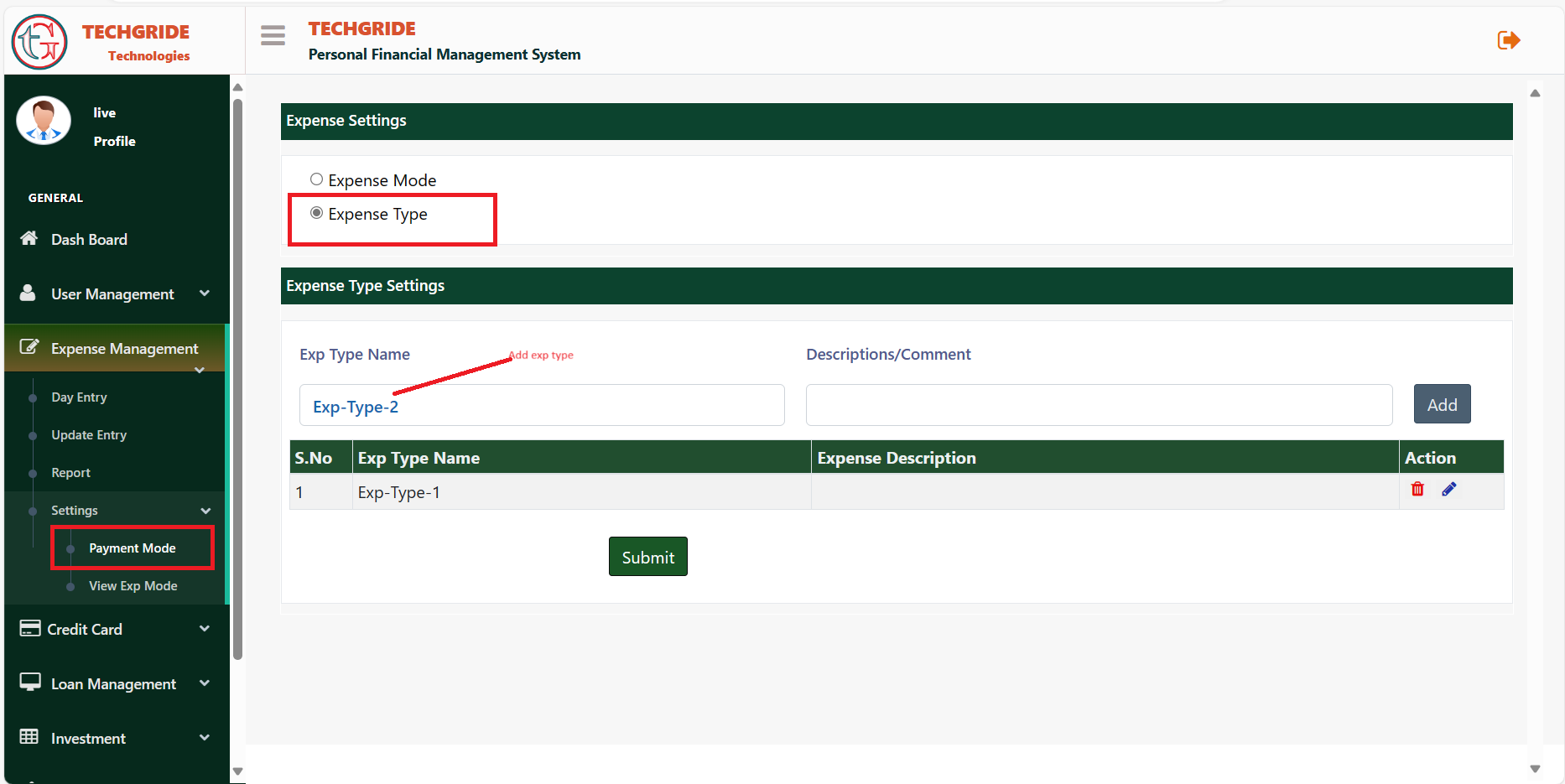
Goto menu bar and select Expense Management option and then select setting option and click on Payment Mode
Add Expense Type
Menu
Expense Management
Settings
Payment Mode
Add Expense Type name as you want. Its depends on you, how many do you want to create. There is no limitation. Follow the below steps to configure the expense types.
Select Expense Types
Type Expense Type in exp type name text box
Description is not mandatory
Click on add button
Click on submit button
Add Exp Mode Type
Menu
Expense Management
Settings
Payment Mode
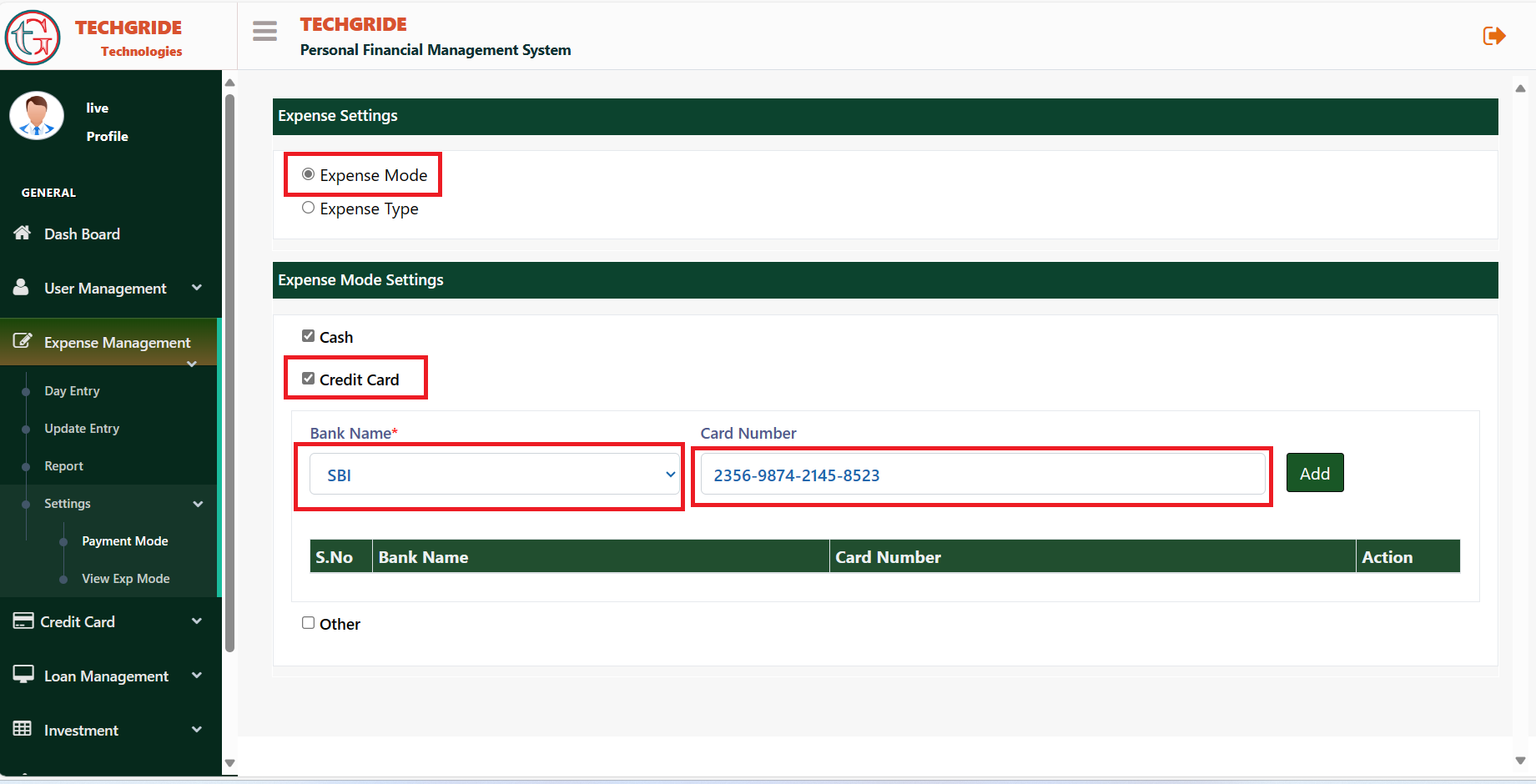
Add Expense Mode name. Cash is by default. You can add credit card and other payment mode. Select Payment mode and then select credit card option
Select Bank name and enter credit card number. No need to add actual card number, add number which you can identify.
Expense Entry
Menu
Expense Management
Exp Entry
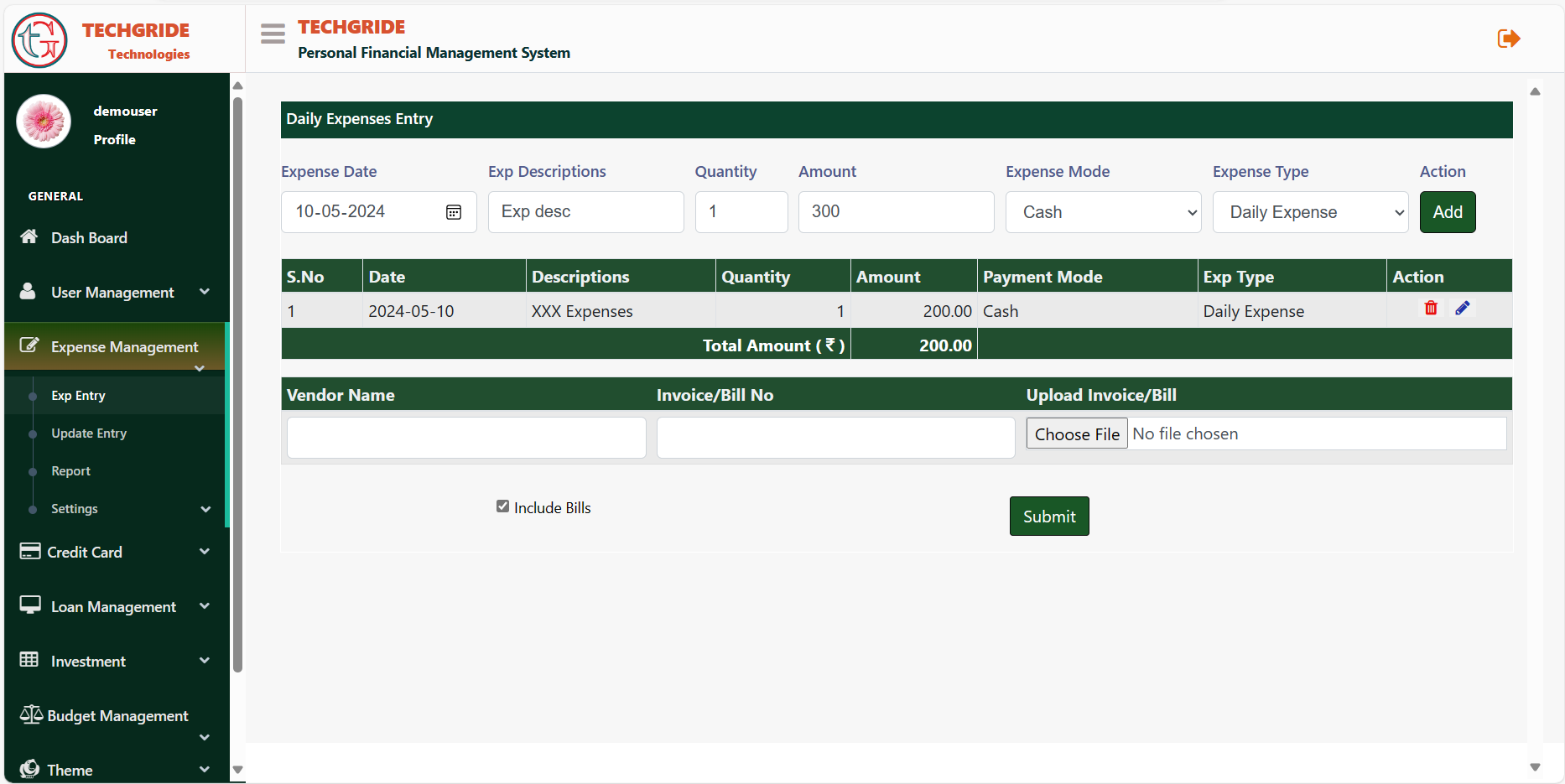
Expense Entry module helps you to maintain your expenses. You can make entry of your expenses everyday to maintain the financial expenses and can check your expenses latter where you had been expended.